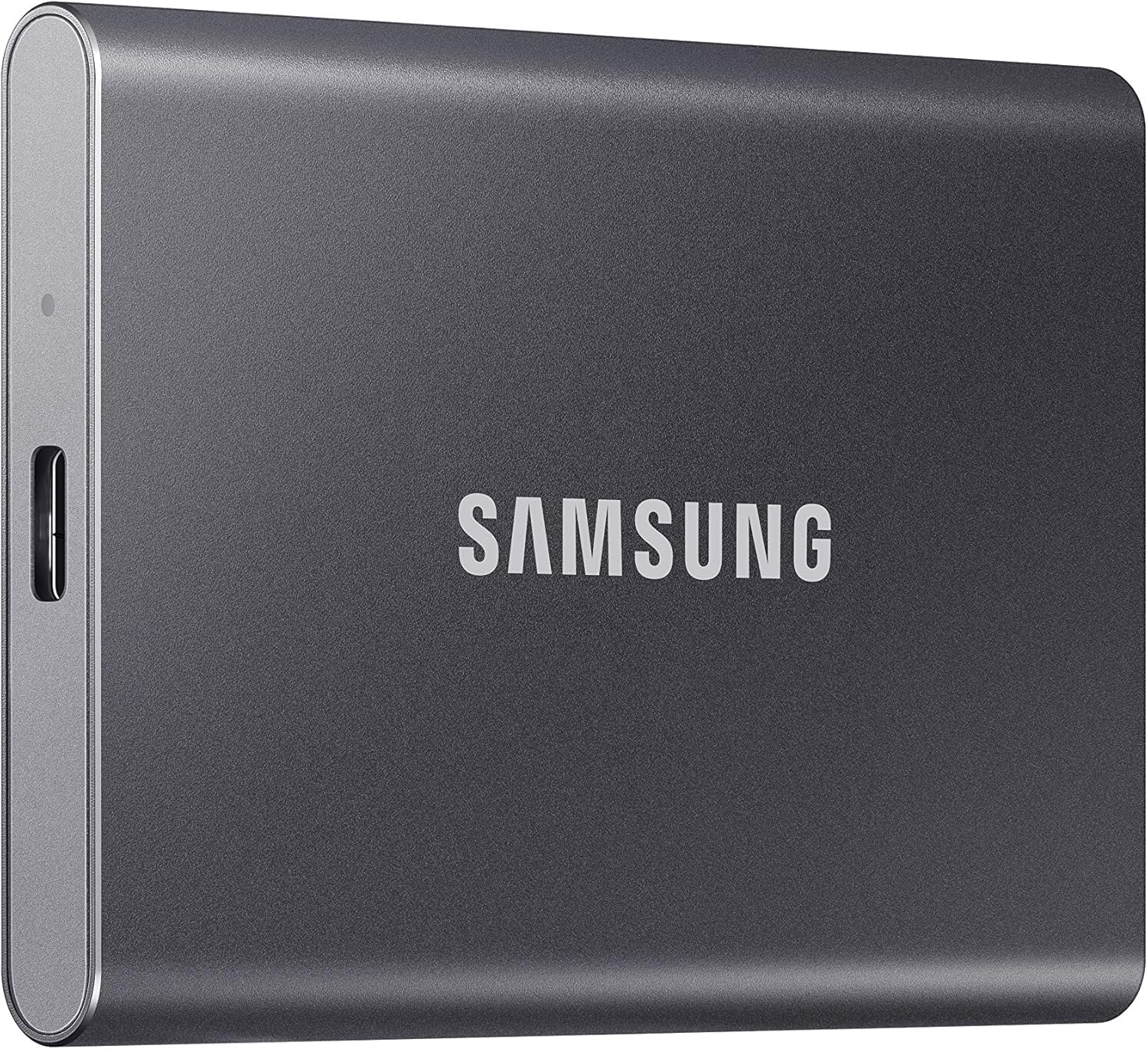
Samsung T7 Portable SSD, 1TB — A Practical Look at Fast, Compact External Storage
Introduction
External storage has changed quite a bit over the past decade. What used to mean a bulky hard drive tethered to a desk has shifted toward something far more portable, durable, and fast. The Samsung T7 Portable SSD, available in a 1TB capacity, reflects this shift clearly. Built around solid-state technology and a USB 3.2 Gen 2 interface, it’s designed for people who need to move files quickly, store large amounts of data securely, and do so without lugging around a fragile, oversized drive.
Whether someone is a student juggling coursework across multiple devices, a creative professional managing large media files, or simply someone who wants a dependable backup solution, portable SSDs like the T7 have become a fairly standard part of many people’s digital toolkits. This article takes a closer look at what the Samsung T7 offers, how it might fit into different routines, and what’s worth thinking about before adding one to your setup.
Key Features
Solid-State Drive Technology
Unlike traditional external hard drives that rely on spinning magnetic platters, the Samsung T7 uses NAND flash memory, the same general category of technology found in most modern laptops and smartphones. This design choice has a few practical implications. There are no moving mechanical parts inside, which generally makes the drive more resistant to shock from drops or bumps during everyday handling. It also tends to mean quieter operation, since there’s no spinning disk or fan involved.
Read and Write Speeds
The T7 is built to support transfer speeds up to 1,050MB/s. In real-world terms, this kind of speed can make a noticeable difference when working with large files — think raw video footage, high-resolution photo libraries, or extensive software installations. Slower drives can turn simple file transfers into a waiting game, so faster sequential speeds are one of the more tangible benefits of moving to SSD-based storage.
USB 3.2 Gen 2 Interface
This drive connects via USB 3.2 Gen 2, a widely supported standard that balances speed with broad compatibility. Most modern laptops, desktops, and even some mobile devices support USB 3.2 connections, which means the T7 doesn’t require particularly specialized hardware to function well. It’s worth noting that actual transfer speeds will depend partly on the port and cable being used, since older USB standards on a host device can act as a bottleneck.
Compact and Portable Design
One of the more immediately noticeable aspects of the T7 is its physical size. It’s small enough to fit in a pocket, a laptop sleeve pouch, or even a small bag compartment without adding much bulk. For people who travel often or move between different work environments, this kind of portability tends to matter more than it might initially seem.
Durability Features
Samsung has built the T7 to handle a reasonable amount of everyday wear and tear. The internal components benefit from solid-state construction, and the drive includes some degree of shock resistance, making it a reasonable companion for life outside a stationary desk setup. While no external drive is indestructible, the absence of moving parts generally gives SSDs an edge over traditional spinning hard drives in terms of physical resilience.
Storage Capacity
At 1TB, this version of the T7 offers a substantial amount of storage for most personal and professional use cases. It’s enough room to store a large media library, multiple software environments, extensive document archives, or a combination of all three, depending on how someone chooses to use it.
How It Can Be Used
Backing Up Important Files
One of the most straightforward and common uses for a drive like the T7 is creating backups. Photos, documents, financial records, and other files that someone wouldn’t want to lose can be copied over to the drive as a secondary safeguard against hardware failure, accidental deletion, or other data loss scenarios.
Expanding Storage for Laptops
Many modern laptops, particularly thinner and lighter models, come with limited internal storage. A portable SSD like the T7 offers a way to expand that storage without needing to open up the device or replace internal components. This is especially useful for laptops where internal storage isn’t user-upgradeable.
Gaming Libraries
Modern video games can take up considerable storage space, sometimes well over 50GB per title. For gamers who rotate between several large games, external SSD storage offers a practical way to keep a broader library accessible without constantly uninstalling and reinstalling titles. The faster speeds associated with SSD technology can also help reduce load times compared to traditional external hard drives.
Creative Work and Media Files
Photographers, videographers, and other content creators often work with files that are simply too large to comfortably store on a primary device alone. RAW photo files, 4K video footage, and project files for editing software can accumulate quickly. A portable SSD provides a way to keep active projects accessible while freeing up space on a main computer.
Cross-Device File Transfers
For people who regularly move between a desktop, a laptop, and sometimes a tablet, a portable SSD offers a simple way to carry files between devices without relying solely on cloud storage, which can be limited by internet speed or subscription costs.
General Document and Software Storage
Beyond media and games, many users simply use external SSDs to offload less frequently accessed files — old projects, archived documents, or software installers — to keep their primary device’s storage lean and responsive.
Who It May Be Suitable For
Students
Students often work across multiple devices, whether moving between a personal laptop, a shared family computer, or campus computer labs. Having a portable drive can simplify the process of carrying coursework, presentations, and research files without depending entirely on internet access for cloud-based storage.
Creative Professionals
Photographers, video editors, and graphic designers tend to generate large files that accumulate quickly. A fast, reliable external SSD can serve as either a primary working drive for active projects or a backup solution for completed work.
Gamers
Those who play multiple large titles, particularly on PC or compatible consoles, may find value in having extra fast storage to expand their available game library without needing to delete and redownload titles repeatedly.
IT Professionals and Office Workers
People who handle sensitive documents, presentations, or large datasets as part of their job may appreciate having a dependable, portable storage option that doesn’t rely on a constant internet connection.
General Everyday Users
Even outside of specific professional or hobbyist use cases, anyone looking for a straightforward way to back up family photos, important documents, or other personal files may find a portable SSD to be a practical addition to their digital habits.
Important Things to Consider
Compatibility with Your Devices
Before purchasing, it’s worth checking what type of USB ports your devices have. While USB 3.2 Gen 2 is backward compatible with older USB standards, using an older port may limit the drive’s actual transfer speeds. Some devices may also require an adapter depending on port type (USB-C versus USB-A, for example).
Real-World Speed Expectations
Advertised speeds typically represent ideal conditions. Actual performance can vary based on file size, file type, the host device’s hardware, and the cable used. Transferring many small files, for instance, often takes longer proportionally than transferring a few large files, even on a fast drive.
Storage Needs Over Time
While 1TB is a substantial amount of storage for many users, it’s worth thinking about how your storage needs might grow. Large media libraries, extensive gaming collections, or professional project archives can accumulate faster than expected, so it’s worth considering long-term needs rather than just immediate ones.
Physical Care
Although SSDs are generally more durable than traditional hard drives, they aren’t indiscriminately indestructible. Extreme temperatures, prolonged exposure to moisture, or significant physical impact can still potentially affect the drive’s performance or lifespan over time.
Data Security Practices
An external drive, no matter how reliable, shouldn’t be the only copy of critical data. Following a broader backup strategy — such as keeping copies in more than one location, including cloud storage where appropriate — is generally a more resilient approach to protecting important files.
Comparison of General Categories
Traditional External Hard Drives (HDD)
These drives use spinning magnetic disks and tend to offer larger storage capacities at a lower cost per gigabyte. However, they’re generally slower than SSDs, more sensitive to physical shock due to moving parts, and can be bulkier in design.
Portable SSDs
This category, which includes drives like the Samsung T7, prioritizes speed, durability, and compact design over maximum storage capacity at the lowest possible price. They tend to be better suited for tasks involving frequent file transfers or sensitive handling during travel.
Internal SSDs
Internal SSDs are installed directly inside a computer rather than connected externally. They generally offer the fastest possible speeds since they aren’t limited by external connection standards, but they require technical know-how to install and aren’t portable between devices.
Cloud Storage Solutions
Cloud-based storage offers the advantage of accessibility from virtually anywhere with an internet connection, along with built-in redundancy in many cases. However, it depends on internet speed and stability, often involves ongoing subscription costs, and may raise different privacy considerations compared to physical storage that stays under your direct control.
Each of these categories serves different needs, and many users end up combining several approaches — for instance, using a portable SSD for active projects while relying on cloud storage for long-term backups.
Frequently Asked Questions
Does the Samsung T7 require external power? No, portable SSDs like the T7 typically draw power directly through the USB connection, so there’s no need for a separate power adapter.
Is the T7 compatible with both Windows and Mac systems? Generally, yes. Most portable SSDs are formatted in a way that’s broadly compatible across operating systems, though some users may need to reformat the drive depending on their specific file system preferences.
Can this drive be used with gaming consoles? Some gaming consoles support external SSD storage for expanding game libraries, though compatibility can vary by console model and software version, so it’s worth checking specific requirements beforehand.
How does solid-state storage compare to flash drives (USB sticks)? While both use flash memory, portable SSDs generally offer faster speeds, more consistent performance under heavy use, and greater durability compared to typical USB flash drives, though usually at a higher price point per gigabyte.
Is 1TB enough storage for most users? For many people, 1TB offers a comfortable amount of space for documents, photos, games, and media files. However, those working with very large video files or extensive professional archives may eventually want to consider higher-capacity options.
Does the drive include any built-in security features? Some Samsung portable SSD models include password protection or encryption software, though specific features can vary by model and software version, so checking current product details is recommended.
Conclusion
The Samsung T7 Portable SSD represents a fairly typical example of how external storage has evolved — smaller, faster, and more durable than the hard drives many people grew up using. Its combination of solid-state speed, USB 3.2 Gen 2 compatibility, and compact design makes it a reasonable option for a wide range of users, from students managing coursework to professionals handling demanding creative projects.
As with any storage solution, the right choice ultimately depends on individual needs — how much data you’re working with, how often you need to transfer files, and how portable you need your storage to be. For those looking for a balance of speed, reliability, and practicality in a compact external drive, the T7 is worth considering as part of a broader storage strategy.