Introduction
The Nintendo Switch has remained a notable presence in the gaming world thanks to its flexible design, allowing players to switch between handheld and docked television play. The version featuring Neon Purple and Neon Orange Joy-Con controllers represents one of several color variations Nintendo has offered over the years, combining the console’s core functionality with a distinct visual style. This article explores what the Switch offers, how its hybrid design can be used, and what’s worth considering before purchasing this particular color variant.
Key Features
Hybrid Console Design
The defining feature of the Nintendo Switch is its ability to function as both a home console and a handheld device. Players can dock the system to a television for a traditional console experience or detach it for portable, on-the-go gaming.
Detachable Joy-Con Controllers
The Joy-Con controllers can be attached to the sides of the console for handheld play or detached and used separately, including as individual controllers for two players or combined into a more traditional grip-style controller using an included accessory.
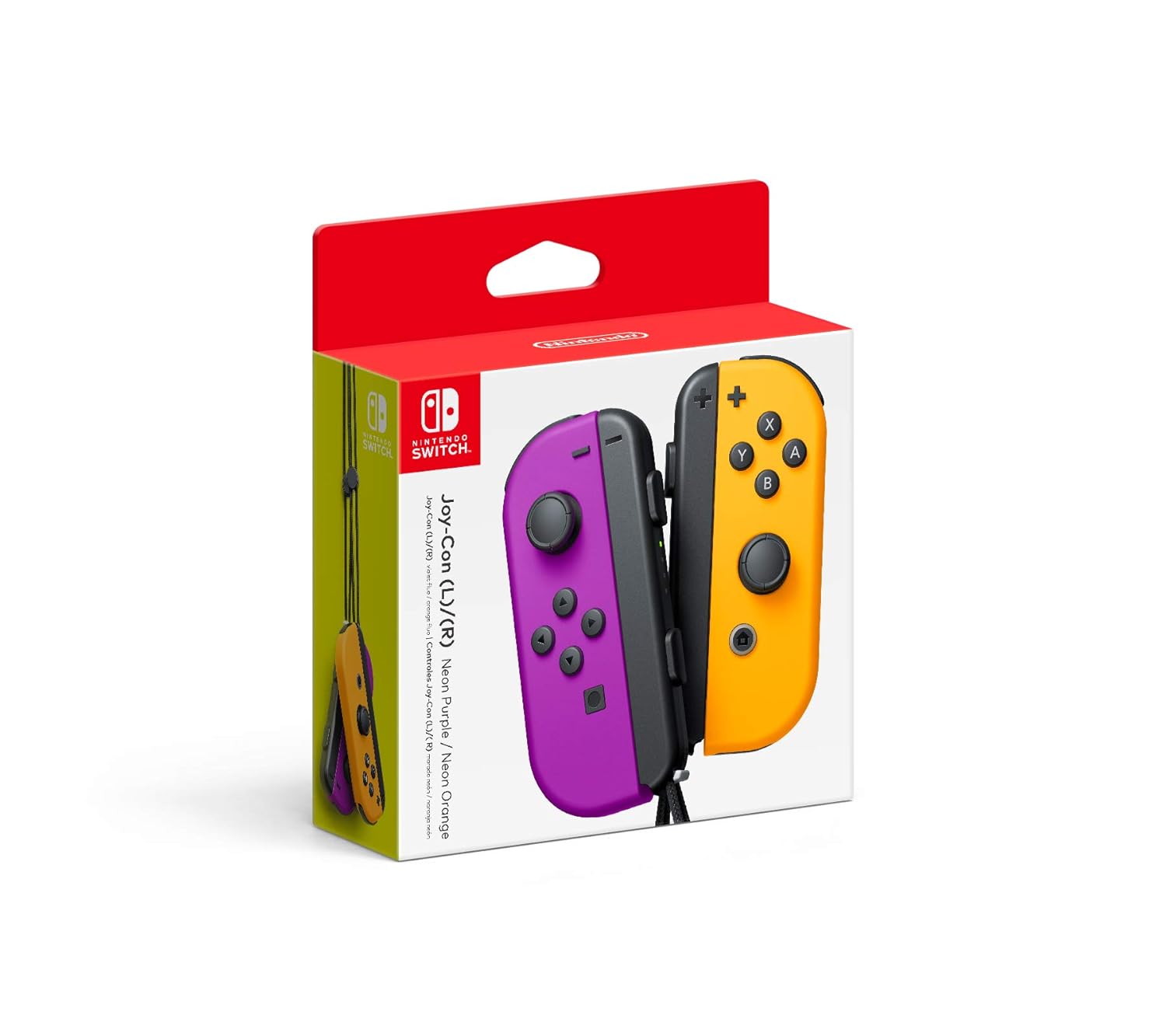
Neon Purple and Neon Orange Color Scheme
This particular version features Joy-Con controllers in a vibrant neon purple (left) and neon orange (right) color combination, offering a distinct visual alternative to the more commonly seen neon blue and red or gray variations.
Built-In Touchscreen
In handheld mode, the Switch’s screen functions as a touchscreen, which is utilized by certain games and menu navigation, adding an additional layer of interactivity beyond standard button controls.
Tabletop Mode
Beyond fully handheld or fully docked play, the Switch also supports a tabletop mode, where the console’s built-in stand allows it to stand upright on a flat surface while Joy-Con controllers are used separately, useful for local multiplayer in spaces without immediate access to a television.
Extensive Game Library
The Switch has built up a substantial library of games over its lifespan, spanning a wide range of genres and including many exclusive titles developed specifically for the platform.
How It Can Be Used
Home Console Gaming
When docked, the Switch connects to a television, offering a traditional living-room gaming experience similar to other home consoles, with the benefit of being able to undock the system at any time.
Portable Gaming on the Go
The system’s handheld capability makes it well suited for travel, commuting, or any situation where a player wants to continue gaming away from a television, without sacrificing access to their full game library.
Local Multiplayer
The detachable Joy-Con design allows for spontaneous local multiplayer, with two people able to use a single set of Joy-Con controllers without needing additional hardware, which can be convenient for casual or impromptu gaming sessions.
Family Gaming Sessions
Given its flexibility across different play modes and its library of family-friendly titles, the Switch is often used as a shared household console for family gaming time.
Travel Entertainment
For long trips, whether by car, train, or plane, the Switch’s portability makes it a popular choice for keeping entertained during travel, particularly for those who prefer gaming over other forms of portable entertainment.
Who It May Be Suitable For
Families with Children
The combination of portability, multiplayer flexibility, and a library that includes many family-oriented titles makes the Switch a common choice for households with kids of varying ages.
Frequent Travelers
Those who travel often, whether for work or leisure, may appreciate having a console that transitions easily between home and portable use without needing separate devices.
Casual and Dedicated Gamers Alike
The Switch’s broad game library spans both casual, accessible titles and more involved, dedicated gaming experiences, making it adaptable to different player preferences.
Those Who Value Flexibility Over Raw Power
Compared to some other consoles, the Switch generally prioritizes versatility and portability over maximum graphical performance, which may appeal more to those who value flexibility in how and where they play.
Important Things to Consider
Battery Life in Handheld Mode
Battery life can vary depending on the specific game being played and screen brightness settings, so those planning extended handheld sessions, particularly during travel, may want to consider battery management or carrying a charging solution.
Joy-Con Drift
Some users have reported issues with Joy-Con analog stick drift over time, where the controller registers movement without physical input. This is worth being aware of, along with researching current information on any available support or repair options.
Screen Size for Handheld Play
The built-in screen size is relatively compact compared to a television, which may affect visibility for some users, particularly in games with smaller text or detailed visuals.
Storage Capacity
The Switch’s internal storage can fill up relatively quickly with larger game downloads, and many users opt to expand storage using a compatible memory card to accommodate larger libraries.
Display Differences in Docked vs. Handheld Mode
Depending on the specific model, resolution and visual output may differ slightly between docked and handheld modes, which is worth understanding when considering how the console will primarily be used.
Comparison of General Categories
Traditional Home Consoles
These systems are designed exclusively for connection to a television and generally offer more raw processing power, but lack the portability that defines hybrid systems like the Switch.
Dedicated Handheld Consoles
Handheld-only systems prioritize portability above all else but don’t offer the option to connect to a larger screen for a traditional console experience.
Hybrid Consoles
This category, which includes the Nintendo Switch, combines elements of both home and handheld consoles, offering flexibility at some compromise to raw performance compared to dedicated home systems.
Mobile Gaming Devices
Smartphones and tablets used for gaming offer a different kind of portability, generally relying on app-based game libraries rather than the more traditional, dedicated game cartridges or digital purchases associated with console gaming.
Frequently Asked Questions
Can the Joy-Con controllers be used separately for two players?
Yes, each Joy-Con can function as an individual controller, allowing two players to use a single set for certain multiplayer games.
Does the neon purple and orange color affect performance?
No, color variations are purely cosmetic and do not affect the console’s performance or functionality.
Can the Switch be played without docking it?
Yes, the system is fully functional in handheld mode without ever being connected to a television.
Is additional storage available for the console?
Yes, the Switch supports expandable storage through a compatible memory card, which can help accommodate larger digital game libraries.
Are all games compatible with both handheld and docked modes?
The vast majority of Switch games support both modes, though performance or resolution may vary slightly depending on which mode is being used.
Do the Joy-Con controllers require separate charging?
Joy-Con controllers typically charge automatically when attached to the console, or can be charged individually using compatible charging accessories.
Conclusion
The Nintendo Switch, in its Neon Purple/Neon Orange Joy-Con configuration, offers the same core hybrid functionality that has defined the platform since its release, paired with a distinct visual style for those looking for an alternative to more common color schemes. Its flexibility across handheld, tabletop, and docked play continues to appeal to a broad range of users, from families to frequent travelers to casual gamers. As with any console purchase, considering how it fits into your specific gaming habits and lifestyle will help determine whether its particular blend of portability and functionality aligns with your needs.