Introduction
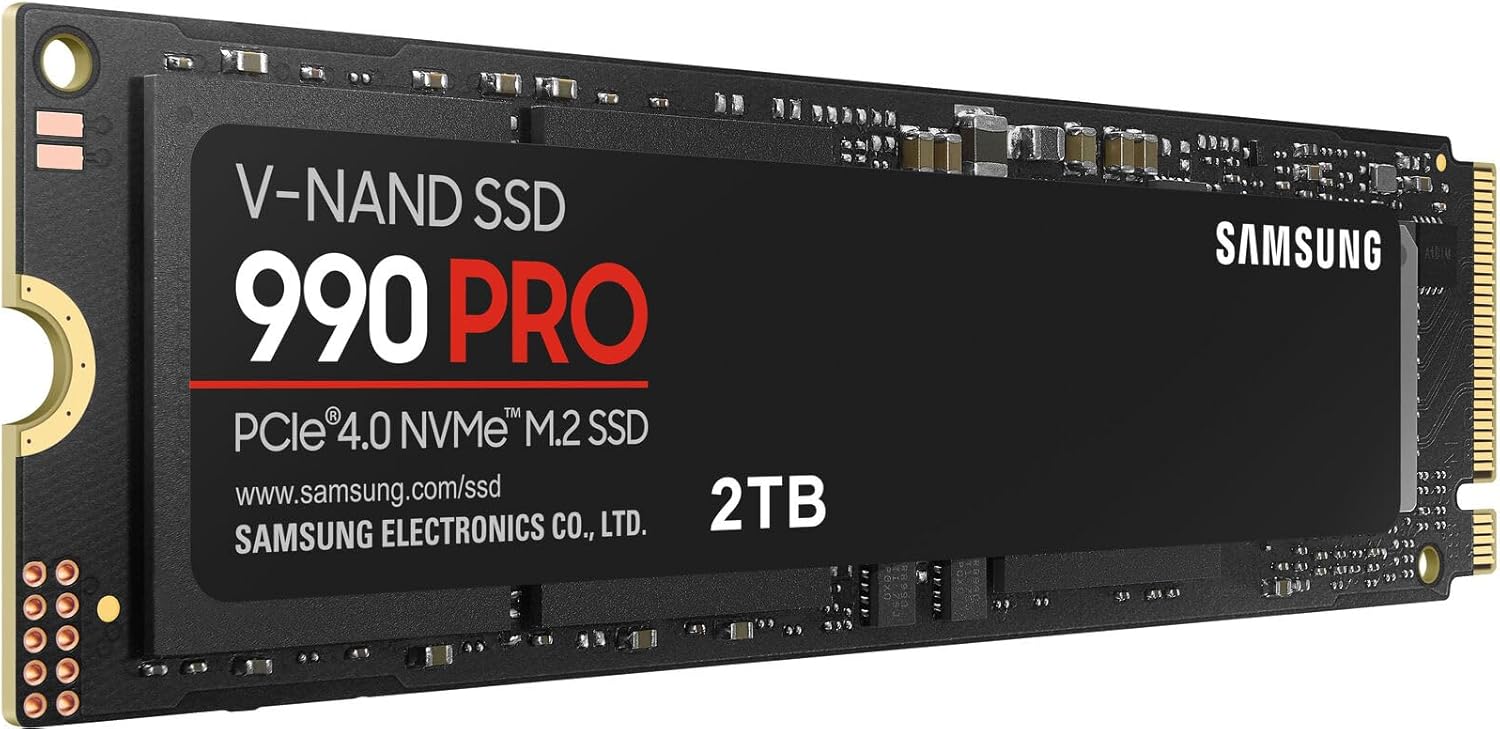
For users working with demanding computing tasks, whether intensive gaming, content creation, or professional workstation applications, storage speed can have a real impact on overall performance. The Samsung 990 PRO SSD, available in a 2TB capacity, is built around NVMe M.2 PCIe Gen4 technology, targeting sequential read speeds of up to 7,450 MB/s. This article examines what this drive offers, how it might fit into different computing setups, and what’s worth understanding before making a storage upgrade decision.
Key Features
PCIe Gen4 NVMe Interface
The 990 PRO utilizes a PCIe Gen4 interface, which represents a significant step up in bandwidth compared to older PCIe Gen3 drives. This interface allows for substantially faster data transfer speeds, assuming the motherboard and system support Gen4 connectivity.
High Sequential Read and Write Speeds
With read speeds reaching up to 7,450 MB/s, this drive is positioned toward the higher end of consumer SSD performance. These speeds can make a meaningful difference in tasks involving large file transfers, such as video editing or transferring extensive game installations.
M.2 2280 Form Factor
The drive uses the widely supported M.2 2280 form factor, which is compatible with most modern motherboards that include M.2 slots designed for NVMe drives, though confirming specific motherboard compatibility and Gen4 support is an important step before purchase.
2TB Storage Capacity
This capacity offers substantial room for large game libraries, extensive media files, professional project archives, or a combination of these, reducing how often users need to manage storage limitations compared to smaller-capacity drives.
Designed for Demanding Workloads
The drive’s specifications suggest it’s built with intensive use cases in mind, including high-end gaming setups, video editing workstations, and other applications that benefit from fast, consistent read and write performance.
Internal Installation
Unlike portable external drives, the 990 PRO is designed for internal installation directly onto a compatible motherboard, which generally results in faster performance compared to external storage options, though it requires some technical familiarity to install properly.
How It Can Be Used
Gaming Performance
For PC gaming setups, especially those running modern titles with large file sizes, this drive can help reduce load times and improve overall responsiveness, particularly when paired with a system that fully supports PCIe Gen4 speeds.
Video Editing and Content Creation
Professionals and hobbyists working with high-resolution video footage often benefit from fast read and write speeds, since editing software frequently needs to access large files quickly during scrubbing, rendering, and exporting processes.
Workstation and Professional Computing
For tasks involving large datasets, complex software environments, or virtual machines, fast internal storage can contribute to smoother overall system performance, reducing bottlenecks that slower storage might introduce.
Operating System and Application Drive
Some users install this type of high-performance drive as their primary system drive, hosting the operating system and frequently used applications to benefit from faster boot times and quicker application launches.
Secondary Storage for Active Projects
Even in systems with an existing primary drive, some users add a drive like this as secondary internal storage specifically for active, performance-sensitive projects, while reserving other drives for long-term archival storage.
Who It May Be Suitable For
PC Gamers with Compatible Hardware
Those building or upgrading gaming systems with motherboards that support PCIe Gen4 may find meaningful benefits from this drive’s speed capabilities, particularly in games optimized to take advantage of faster storage.
Video Editors and Content Creators
Professionals working with large media files on a regular basis may find that faster storage noticeably improves their workflow, particularly during file-intensive tasks like exporting or working with high-resolution footage.
Workstation Users
Those running demanding professional software, large datasets, or virtualized environments may benefit from the consistent performance this type of drive is designed to offer.
Enthusiast PC Builders
Users who prioritize having up-to-date, high-performance components in their builds may consider this drive a fitting addition to a broader high-end system.
Important Things to Consider
Motherboard Compatibility
To fully benefit from PCIe Gen4 speeds, a compatible motherboard is necessary. Installing this drive in a system that only supports PCIe Gen3 will still function but won’t achieve the drive’s full potential speed.
Installation Requirements
As an internal M.2 drive, installation involves opening the computer case and properly seating the drive into the appropriate motherboard slot, which requires some basic technical comfort or willingness to follow installation guides carefully.
Heat Management
High-performance NVMe drives can generate more heat under sustained heavy use compared to slower storage options. Some systems or motherboards include heatsinks specifically designed to help manage this, which is worth considering depending on your case airflow and motherboard design.
Real-World Performance Variability
While the drive is rated for high sequential speeds, actual real-world performance can vary based on the specific tasks being performed, file sizes involved, and overall system configuration.
Budget Considerations
High-performance drives in this category are generally positioned at a higher price point compared to standard SATA SSDs or lower-tier NVMe options, so weighing performance needs against budget is a reasonable step in the decision-making process.
Comparison of General Categories
SATA SSDs
These drives offer a meaningful speed improvement over traditional hard drives but are limited by the SATA interface’s bandwidth, generally topping out well below the speeds achievable with NVMe drives.
PCIe Gen3 NVMe Drives
This category offers faster speeds than SATA SSDs but is outpaced by newer Gen4 drives. These remain a reasonable choice for systems that don’t support Gen4 connectivity.
PCIe Gen4 NVMe Drives
This category, which includes the Samsung 990 PRO, offers some of the fastest consumer-available storage speeds currently on the market, suited for demanding tasks and systems built to take advantage of this bandwidth.
External Portable SSDs
While convenient for portability, external SSDs are generally limited by their connection interface (such as USB) and typically can’t match the raw speed of internally installed NVMe drives.
Frequently Asked Questions
Do I need a specific motherboard to use this drive?
While the drive can function in many systems with an available M.2 slot, achieving its full rated speed requires a motherboard that supports PCIe Gen4 connectivity.
Is this drive suitable for a primary operating system drive?
Yes, many users install high-performance NVMe drives like this as their primary system drive to benefit from faster boot times and application performance.
Does this drive require additional cooling?
Some systems benefit from additional heatsink solutions for sustained heavy workloads, though many motherboards now include built-in M.2 heatsinks that may be sufficient depending on usage patterns.
Can this drive be used in a laptop?
Compatibility depends on whether the specific laptop supports M.2 2280 NVMe drives and PCIe Gen4 connectivity, so checking laptop specifications beforehand is necessary.
What happens if I install this in a PCIe Gen3 system?
The drive will still function but will be limited to Gen3 speeds, meaning you won’t see the full performance benefit the drive is capable of under Gen4 conditions.
Is 2TB enough storage for gaming and professional use?
For many users, 2TB offers a reasonable balance of speed and capacity, though those with extensive game libraries or large professional media archives may eventually want to consider additional storage solutions.
Conclusion
The Samsung 990 PRO SSD 2TB represents a high-performance storage option built for users who need fast, reliable access to large amounts of data, whether for gaming, content creation, or professional workstation tasks. Its PCIe Gen4 NVMe interface offers substantial speed potential, provided it’s paired with compatible hardware capable of taking full advantage of its capabilities. For those building or upgrading systems with performance as a priority, this drive represents a serious option worth factoring into a broader hardware strategy, while also considering installation requirements and overall system compatibility.